Companies
Search by name or registration number: official name, status, registration date, capital, legal representative, address and business scope — from Chinese and Russian registries.

Workspace for importers
Send a company name, an invoice or a link to an offer — the DUOSHAO agent finds the company in Chinese and Russian registries, reads the document and tells you plainly what checks out and what doesn’t. Findings and numbers stay in spreadsheets your whole team works in.
One sign-in for chat and spreadsheetsWorks in the browser, nothing to install

DUOSHAO in 75 seconds
What DUOSHAO checks
The agent gathers information from registries and documents, shows its sources and says honestly what is missing for a conclusion.
Search by name or registration number: official name, status, registration date, capital, legal representative, address and business scope — from Chinese and Russian registries.
Attach an invoice, contract or packing list: the agent pulls out the parties, amounts, bank details and dates and points out where they differ from what you agreed.
Links to 1688, Alibaba or a supplier’s website: the agent reads the page and compares specs, prices and terms with your request.
What it looks like
These are real product screens. The companies, numbers and amounts in them are made up.
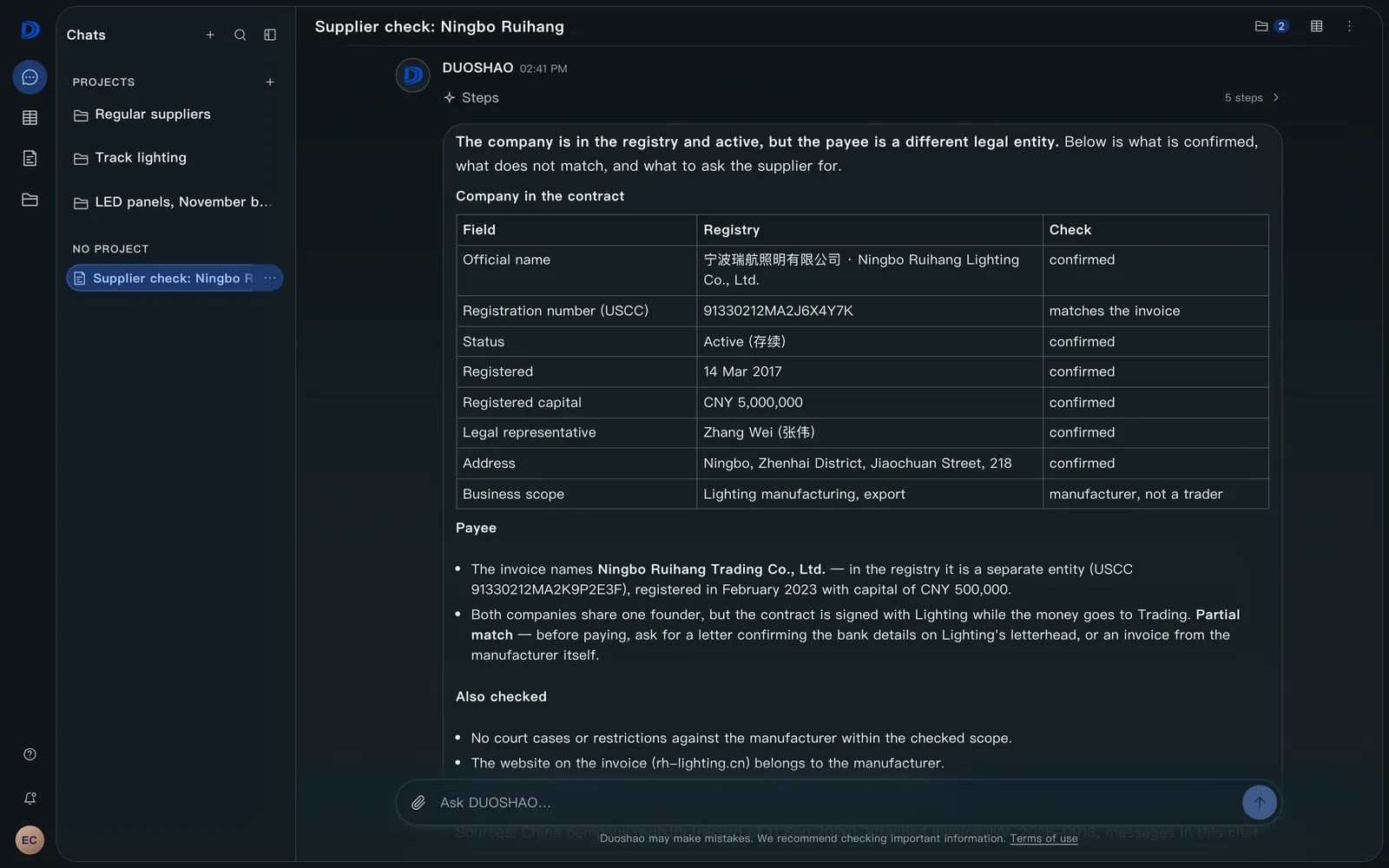
Agent answer
Not a list of links but an analysis: what the registry confirms, where the invoice differs from the contract and what to ask the supplier before paying.

Deal materials
Files from the conversation don’t get lost in email: the agent has read them, and you open them in one click — next to the answer they belong to.

With your team
Buyer, logistics and accounting work in one spreadsheet: colleagues’ cursors and changes appear without reloading, and risky rows are highlighted.

Access
A spreadsheet opens to a list of people as viewers or editors, or through a restricted link. Anyone not on the list can request access, and the request goes to the owner.

Anywhere
The same conversation in your pocket: attach an invoice and read the conclusion on your phone without opening a laptop.

Spreadsheets
Supplier comparisons, shipment costing, deal document lists — all of it stays in your organization and opens for colleagues by link.

How it works
A company name, a registration number, a link to an offer or an attached contract — the agent takes all of it in one message.
It looks the company up in registries, reads documents and supplier pages, and shows its sources and what it couldn’t confirm.
Findings and numbers go into a spreadsheet; share it with your team by link and keep talking about the deal in the same chat.
In control
Describe a supplier or attach a document — the agent comes back with facts and sources.
Open the checking chat Signing up takes a minute and creates a separate workspace for your organization.